

Well-run school tours, from booking to the last stop
Parents book their preferred tour time online, student and staff guides receive clear route schedules, and your admissions team knows who is visiting before they step onto campus. Parent Events has powered school tour bookings since 2013.


Plan your tour program
Define your tour types, dates, group sizes, and which staff are guiding. Different routes for kindergarten families, middle school transfers, or international inquiries can run side by side in the same account.
Families book and introduce themselves
Parents book online and answer the questions you care about, from year level to specific interests. You know who is coming and what they want to see.
Run the tour
Guides have their timetables and station assignments, you know attendance numbers in advance, and every family is expected.

Flexible tour options for any audience
Run open house tours, private family visits, or mid-year transfer tours side by side. Each tour type can have its own dates, guide rosters, custom registration questions, and group size limits.
Kindergarten parents, middle school transfers, and international inquiries often have completely different questions. Running a separate tour event for each lets you plan the route and the conversation around what each group wants to know.
Guides, stations, and a clear route
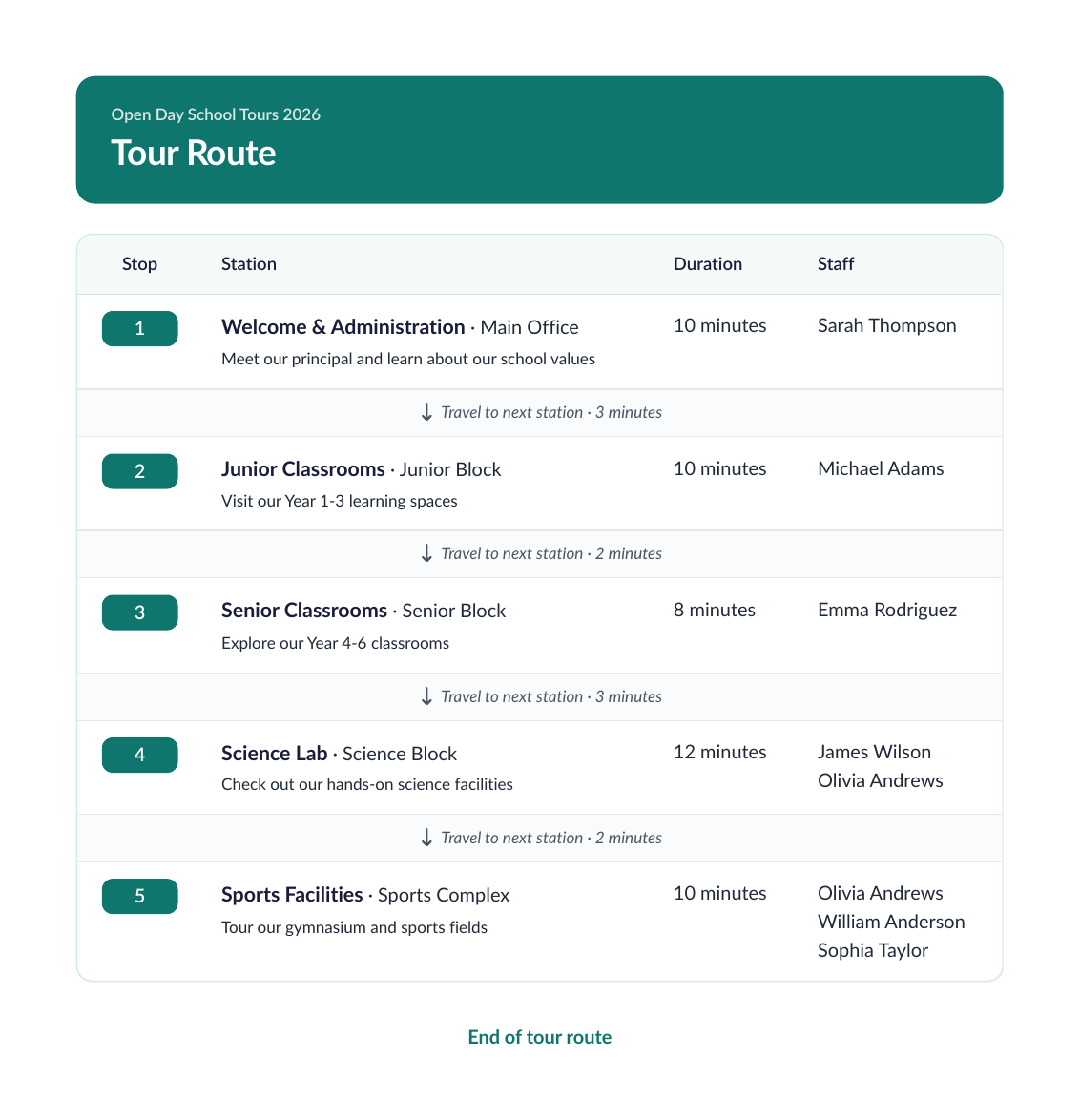
Assign tour guides, map out campus stations with travel times, and give every guide a clear itinerary. Teachers running classroom demos know exactly when each group will arrive, and guides always know their next stop.
If the route changes on the day, send a message from the control room and it appears on the screen of every staff member working the tour.

Learn about families before they arrive
Gather helpful details beforehand, including student grade levels, extracurricular interests, learning needs, or academic programs the family is exploring. Guides know this before the tour starts, and can spend more time on the parts of school the family is interested in.
After the tour, admissions teams can download each family's details and answers, ready to invite them to upcoming enrollment events.
Built to support your school
Build the route as a list of stations, each with a duration, a location, and travel time to the next stop. Reorder them by drag and drop as the plan changes.
Assign a guide to every tour time, whether a staff member, a parent ambassador, or a senior student. Each guide gets a timed schedule of stations for their tour.
Decide how many families join each tour, and slots close automatically once full. Private family tours and larger groups can run on the same day.
Ask about year level, starting year, and what the family wants to see before they arrive. Answers sit beside the booking, so guides know who is coming and why.
Families get a reminder email on the morning of their tour, and you can add another the day before. Families arrive at the right entrance at the right time.
A live board shows each tour time with its guides, group size, and the families attending, marked as running, upcoming, or finished. You see the whole day from one screen.
Print the tour route with the running order and timing for every stop, plus a per-guide schedule listing the families on each tour. Everyone knows where to be and when.
Print a sign for every station, name tags for guides, and name tags for visiting families. The signage comes from the same event you took bookings in.
Skip the time slots when you only want to know who is interested. Collect family details for a drop-in open house and follow up once your tour dates are confirmed.